
The comparison at a glance
Features were checked on 10 October 2026 on each vendor's own pricing page. A gold check means the vendor lists the feature only on some plans, usually not the free one. A question mark means the vendor does not say. Prices and languages are in each review below, the way the vendor lists them. Plans and discounts change often, so check the vendor's pricing page before you buy.
| App | No app to install | Videos | Original quality | Live wall or slideshow |
|---|---|---|---|---|
| OursPixworthy | YesNo account either | YesEvery plan, Free too | YesEvery plan, Free too | YesEvery plan, Free too |
| GUESTPIX | Yes | On some plansPaid plans | Yes | Yes |
| Wedibox | Yes | On some plansPaid plans | On some plansPaid plans | On some plansWedding and All-In-One |
| Kululu | Yes | Yes | On some plansPlus and Pro | Yes |
| POV | YesApp Clip on iPhone | Not listed | Not listed | On some plansBusiness package |
| WedShoots | No | Yes | Yes | YesProjector view |
| weddies | Yes | On some plansPremium only | On some plansPremium only | On some plansPremium only |
Pixworthy
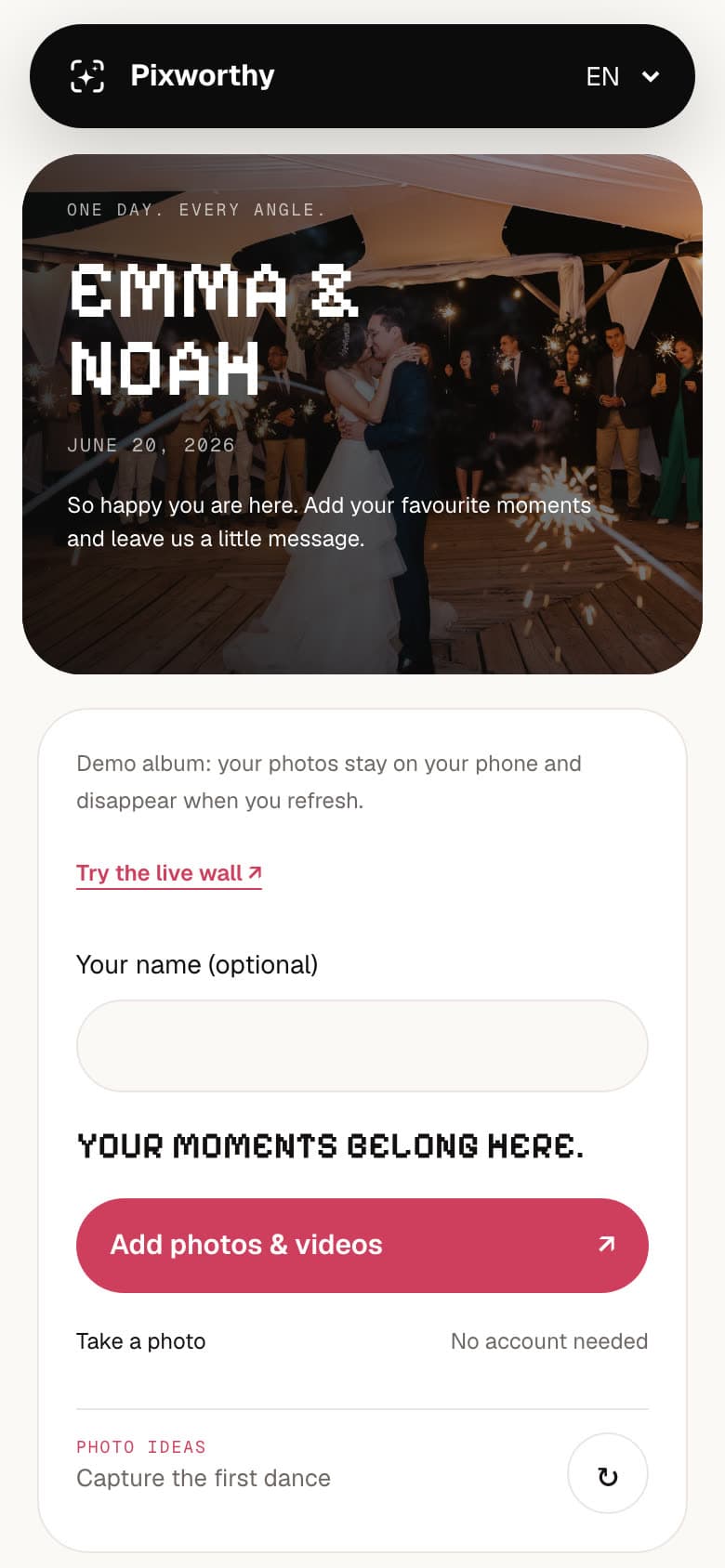
Pixworthy is our own product, so read this part with that in mind. Guests scan a QR code and upload photos and videos in the browser, with no app or account, in 7 languages. Files are stored untouched: no resizing, conversion or compression. Uploads pause on weak Wi-Fi and carry on when the connection is back. The live wall shows approved photos on a TV or projector, but does not play videos. Free covers 50 uploads for 30 days. Wedding (EUR 79) and Plus (EUR 129) are one-off and include VAT. Planner is EUR 39 per month plus EUR 19 per wedding, excluding VAT. Early customers can get founding prices.
Suits you if you want every original file, guests who never install anything, and a plan you can upgrade without reprinting the QR code. It has no RSVP, seating or disposable-camera game. See what guests see in the demo.
GUESTPIX
GUESTPIX is a guest photo and video gallery. Guests scan and upload without an app or registration, and every package includes a live slideshow and a written and video guestbook. You can download the gallery as a full-resolution ZIP. The free plan holds 50 photos, and the paid packages are one-off payments starting at USD 49. A bundle covers three separate galleries, each with its own QR code.
Suits you if your guests speak many languages: the guest page comes in 11, more than Pixworthy's 7. The three-gallery bundle also fits couples with more than one celebration, such as a civil ceremony at home and a party abroad.
Wedibox
Wedibox puts photos, RSVP and seating behind one QR code, and guests need no app or account. Free covers 50 uploads. Wedding (USD 49 once) adds unlimited photo and video uploads, a live slideshow and an original-quality ZIP. All-In-One (USD 79 once) adds RSVP with meal choices, a live seating chart and registry links. Embed (USD 29 once) puts the upload widget on a wedding website you already have.
Suits you if you want one tool for the guest list and the photos. Pixworthy does not do RSVP or seating, so if you need those, Wedibox covers more.
Kululu
Kululu runs in the browser for weddings, parties and conferences. Guests upload photos, videos and text messages without an app or account, and every plan includes a live slideshow, the Photo Wall. Plus and Pro are a one-off payment per event and let you download originals. On the free plan, photos are slightly compressed. The pricing page showed a discount but no amounts when we checked.
Suits you if you also host other events, or want whole videos playing on the screen: Kululu's Photo Wall plays videos to the end, while the Pixworthy live wall plays at most the first 18 seconds, muted. Kululu also sells monthly plans for professionals, and Pro adds an upload-only mode where guests cannot see each other's photos.
POV
POV turns guests' phones into a disposable camera. You choose how many shots each guest gets and when the photos are revealed. Guests join with a QR code through an App Clip on iPhone or the browser on Android, without downloading an app. Hosts of personal events set things up in the POV app. It is free for up to 10 guests and paid from USD 4.99 for up to 25 guests, rising with the guest count.
Suits you if you want a game more than an archive. Limited shots make guests think about each photo, and the reveal gives everyone something to look forward to. If you want every photo and video guests already took with their own camera, a full album fits better.
WedShoots
WedShoots is the free album app from the wedding sites Bodas.net and Hitched. Guests install the WedShoots app and enter your album code, then add as many photos and videos as they like. You can download the whole album in full resolution, and the Spanish site mentions showing the photos on a projector as they come in.
Suits you if budget comes first. It costs nothing, and no paid service can beat that. The trade-off is the app: every guest has to install it before they can upload.
weddies
weddies is a German-language service. Guests upload without an app or registration, and files are stored only on servers in Germany. The free Basis album holds 30 photos, without video, for one month, in standard resolution. Premium costs EUR 59.99 for 12 months or EUR 79.99 for 24 months, paid once, with unlimited photos and videos, original quality and a live slideshow.
Suits you if you and your guests speak German or English and you want your photos on German servers specifically. Pixworthy also stores files in Germany (Frankfurt), but offers more guest languages.
How to choose the right app for your wedding
Pick the one or two things that matter most to you, then look at those columns in the table. New to this? Read how a wedding QR code works and how to collect photos from your guests first.
- Budget: WedShoots is free. GUESTPIX, Wedibox, Kululu, weddies and Pixworthy have a free plan with limits, and POV is free for up to 10 guests. A free plan is also a good way to test before you pay.
- Your guests' phones: every extra step costs photos. All services here except WedShoots let guests upload straight from the browser after scanning. If many guests come from abroad, check the languages in each review.
- Video: if you want the speeches and the first dance from guests' phones, check that your plan includes video and allows large files. weddies Basis is photos only. Pixworthy allows 100 MB per file on Free, 2 GB on Wedding and 5 GB on Plus and Planner.
- Privacy: ask where files are stored and who can see them. weddies uses servers in Germany, and Pixworthy a private bucket in Frankfurt. With Pixworthy you can set a guest password and choose whether guests see each other's uploads. Kululu Pro has an upload-only mode.
- Live wall: almost every service here has one. Kululu plays whole videos on its Photo Wall; the Pixworthy live wall shows photos and the first 18 seconds of each video, muted. Try ours on the demo wall.
- RSVP and seating: only Wedibox All-In-One combines those with guest photos in this list.
- Planners: if you organise several weddings a year, look for monthly plans. Kululu has plans for professionals, and the Pixworthy Planner plan manages every couple's album from one account.
Questions
What is the best wedding photo sharing app?
There is no single best one. WedShoots is free but needs an app. GUESTPIX, Wedibox, Kululu, weddies and Pixworthy work in the browser. POV is the one for a disposable-camera game. Choose by what matters most to you: price, video, languages, privacy or a live wall.
Is there a free wedding photo sharing app?
Yes. WedShoots is free with no stated upload limit, but guests have to install the app. Most others have a free plan with limits: 50 photos or uploads on GUESTPIX, Wedibox and Pixworthy, 30 photos on weddies Basis, and up to 10 guests on POV. Pixworthy's free plan also includes videos, original files and the live wall.
Do guests need to download an app?
Not for most of these. GUESTPIX, Wedibox, Kululu, weddies and Pixworthy work in the phone browser after a QR scan. POV uses an App Clip on iPhone and the browser on Android, so guests skip the download. WedShoots needs its app.
Which apps keep photos in original quality?
GUESTPIX, Wedibox and Kululu on paid plans, weddies Premium, WedShoots and Pixworthy all say so on their own websites. Pixworthy never resizes, converts or compresses what guests' phones send, and iPhone guests can send the full HEIC original with its metadata (Options, then Current, in the photo picker). POV does not publish this.
Are these prices up to date?
They were checked on 10 October 2026 on each vendor's own website. Prices, discounts and plans change often, so check the vendor's pricing page before you pay. Pixworthy's current prices, including founding prices while places last, are shown when you choose a plan.
Sources
- GUESTPIX: wedding pricing
- GUESTPIX: FAQ (free plan includes slideshow and ZIP download)
- Wedibox: pricing
- Wedibox: home page (guest portal languages, RSVP, seating)
- Kululu: pricing
- Kululu help: do guests need to download an app?
- Kululu help: are uploaded photos and videos compressed?
- Kululu help: one-time payment or subscription?
- Kululu help: upload-only albums
- Kululu: product updates February 2026 (languages, Photo Wall)
- POV: weddings
- POV: disposable camera
- POV: pricing
- POV: business (live slideshow)
- WedShoots (UK)
- WedShoots (Spain)
- Bodas.net: WedShoots wedding album
- weddies: home page and packages
- weddies: FAQ
Facts about other products were checked on their own websites on October 12, 2026. If something has changed, tell us at [email protected] and we will correct it.